Gensprite vs Scenario
Scenario is a broad AI platform for game studios, strongest at training custom models on your own art style and generating images, video, 3D and audio from them. Gensprite is narrower: a pipeline that takes one game character from description to turnaround to animation, plus 3D, audio and whole games from a prompt.
Side by side
| Gensprite | Scenario | |
|---|---|---|
| Character sprites | Characters from a description, realistic or stylized, as transparent PNG | 2D images from many models, including your own trained ones (PNG, JPEG, WebP, SVG) |
| Train a model on your style | No | Yes, on Pro and Max |
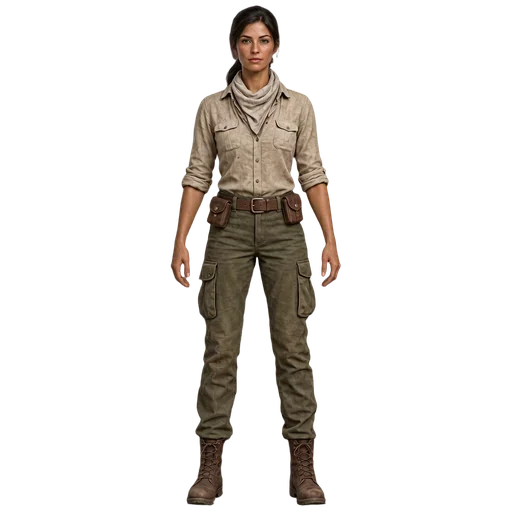
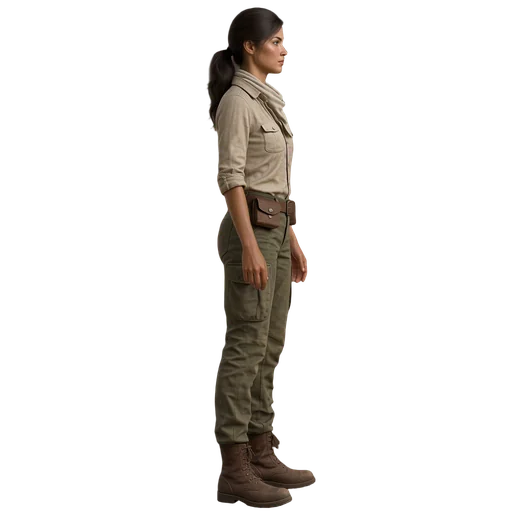
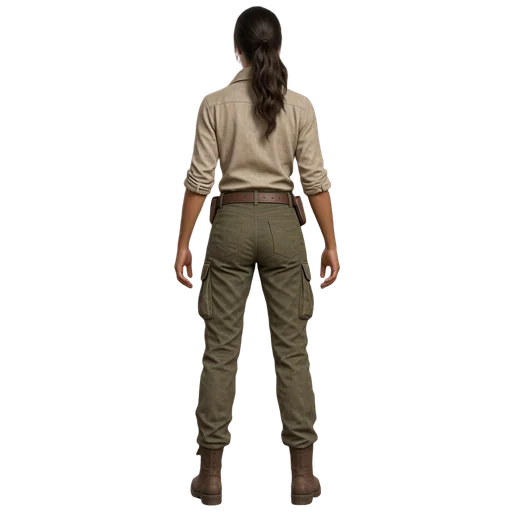
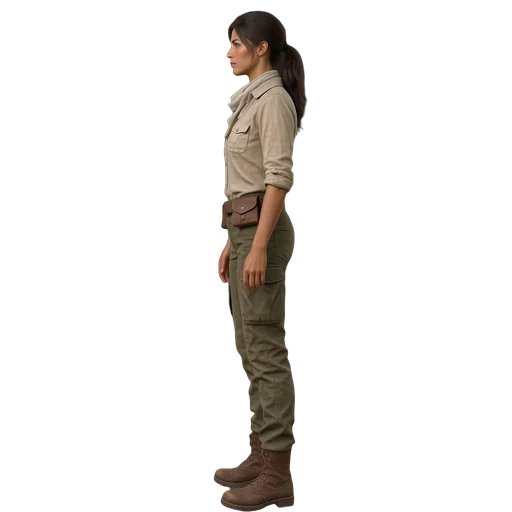
| Turnarounds | 1, 4 or 8 views of the same character | Not listed as a tool on its pricing page |
| Sprite animation | Four directions from a described motion, every frame as PNG, with loop points | A video-model workflow: turn an image into a clip, pick key frames, assemble the sheet in another tool |
| 3D | Rigged humanoid characters with text-to-motion (after a purchase), 3D props, PBR materials | 3D meshes as GLB, OBJ, FBX, STL or VOX |
| Audio | Music and sound effects, loopable, as WAV, OGG and MP3 | Audio as WAV and MP3 |
| Video | No | Yes: MP4, MOV, WebM, GIF |
| Whole games from a prompt | An agent builds a whole game in GigaEngine from a prompt; it plays in the browser | Not listed on its pricing page |
| API and agents | REST API with keys, and an MCP server for Claude, Cursor and other agents | API-first, with an MCP server |
| Free start | 150 credits on signup, no card; images watermarked until a first purchase | A free tier with 50 credits, no card |
| Paid plans | No subscription needed: packs from $10 for 300 credits, and plans from $12 a month for 600 credits | Starter $15/mo (1,500 credits), Pro $45/mo (5,000), Max $75/mo (10,000) |
Scenario’s column is what its own pages said on October 22, 2026: Scenario pricing, Create spritesheets with Scenario (help center). Prices change; check theirs before you decide. Gensprite’s prices are live.
Pick Scenario if
- You need a model trained on your studio's own art style.
- You want video generation alongside images.
- A large team needs one platform for many kinds of asset.
Pick Gensprite if
- You want one character carried from description to a four-direction animation without leaving the tool.
- You build with a coding agent and want it to make the art through MCP.
- You want to try it on a few dollars of credits rather than a monthly plan.
What Gensprite made, unedited
Prompt: “A female desert explorer in her thirties, full body, standing straight facing the viewer, arms relaxed slightly away from her sides, empty hands. Khaki linen field shirt with rolled sleeves, olive canvas cargo trousers, worn brown leather boots…”